

Dais
Dais is the front door for an educator who teaches live every week. Visitors see every upcoming showing in their own time zone, pick one, and register straight into WebinarFuel — the join link, calendar file and replay link are theirs the moment they submit.
About this template
Overview
Dais is the front door for an educator who teaches live every week. Visitors see every upcoming showing in their own time zone, pick one, and register straight into WebinarFuel — the join link, calendar file and replay link are theirs the moment they submit.
What you get
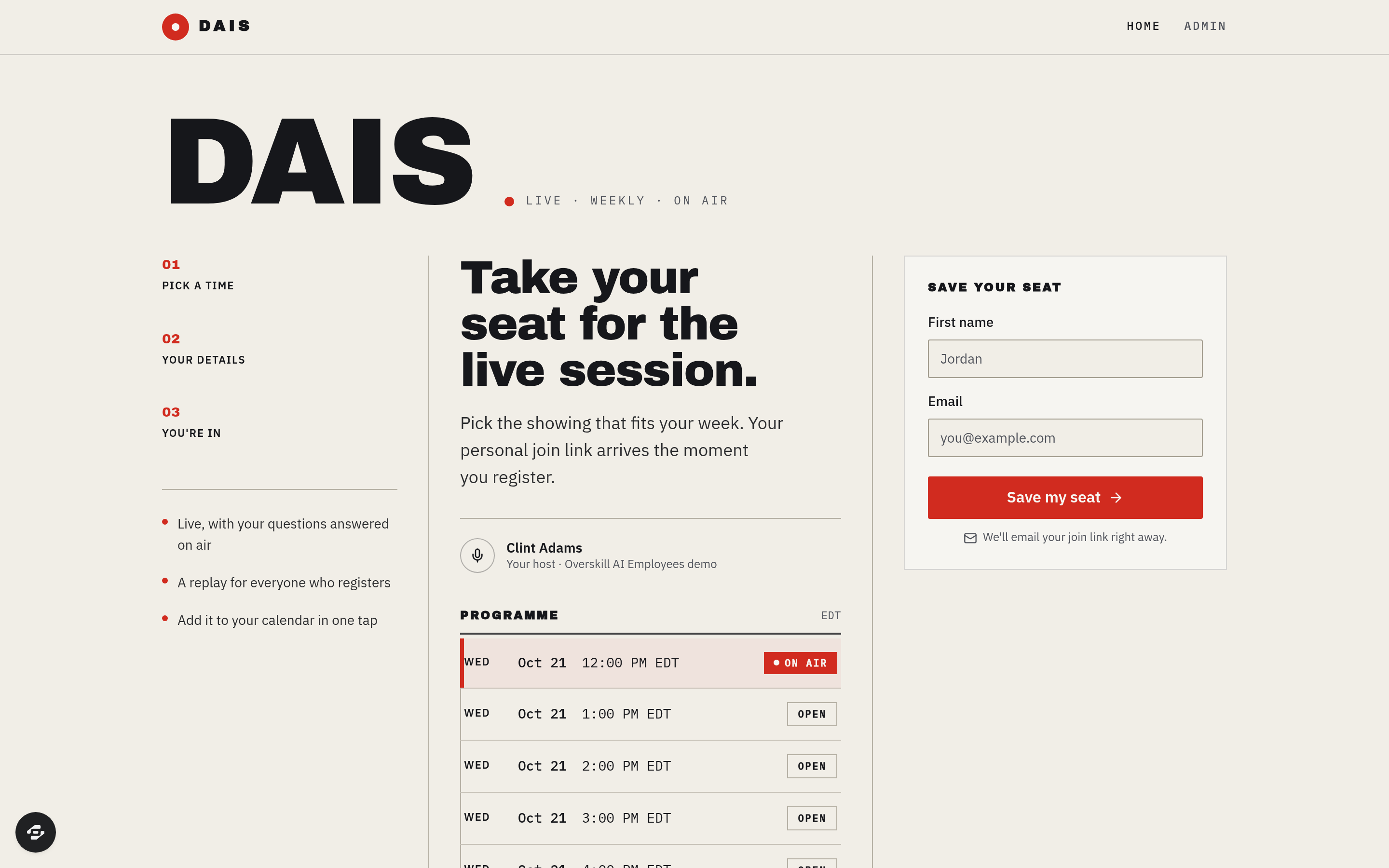
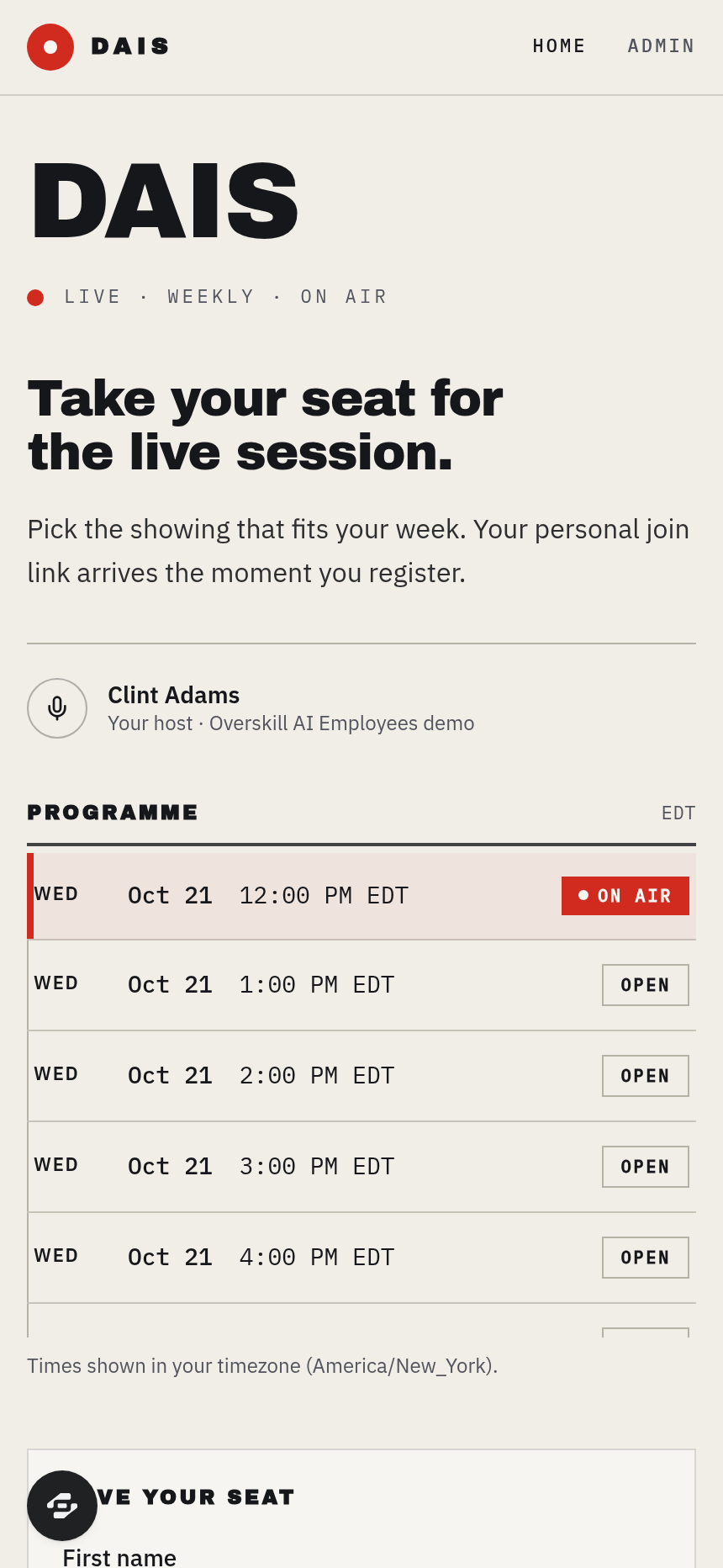
- A programme-guide session picker fed live by WebinarFuel (GET /webinars), formatted in the visitor's time zone
- One-tap registration into WebinarFuel (POST /registrants, tagged) mirrored into the app's own database
- A printed-ticket confirmation page with Join, Add to calendar (.ics) and Watch the replay later
- An owner admin with a Connect-your-WebinarFuel card, Check connection, editable copy and a registrations ledger with CSV export
- Hand-drawn transmission-band artwork, Archivo Black / IBM Plex type, footer attribution
The signature screen
The landing fold: three ruled columns — section numbers and benefits on the left, the headline and the live programme guide in the centre, the name + email form on the right — with the chosen showing marked ON AIR.
Who it's for
Course creators, coaches and consultants who run a recurring live webinar through WebinarFuel and want a registration page that looks like a schedule, not a sign-up form. Setup: add WEBINARFUEL_API_KEY (and optionally WEBINAR_ID) as app environment variables.
Design
- Type pairing
- Archivo Black display IBM Plex Sans body
- Palette
-
-
#F3EFE6 -
#15161A -
#D2261F -
#B9B3A4
-
- Motion
- scroll-reveal on the three-step band + hover row highlight (reduced-motion safe)
- Signature screen
- Landing fold — editorial three-column listings spread with the live programme-guide session picker
- References
-
- Mid-century broadcast programme guide × Swiss timetable grid
Frequently asked questions
What is the Dais template?
Who is the Dais template for?
How long does it take to build an app with the Dais template?
Do I need to code to use the Dais template?
How much does the Dais template cost?
Can I customize the Dais template?
Review current pricing and the template inspection guide before you start.
Related templates
 Business
Blueprint
Contractor sales pipeline that lives on the job site
 Business
Mandate
High-ticket executive coaching, built to close.
 Business
Bossbabe: Booked-Out Studio
A client-booking app for coaches + service providers, running on rhythms — editorial feminine-luxe.
 Business
Voyage
Curated journeys, planned just for you.
Make this template your starting point.
Inspect the preview, plan your changes, and test the workflow before you share it.
Use this template