

Interment
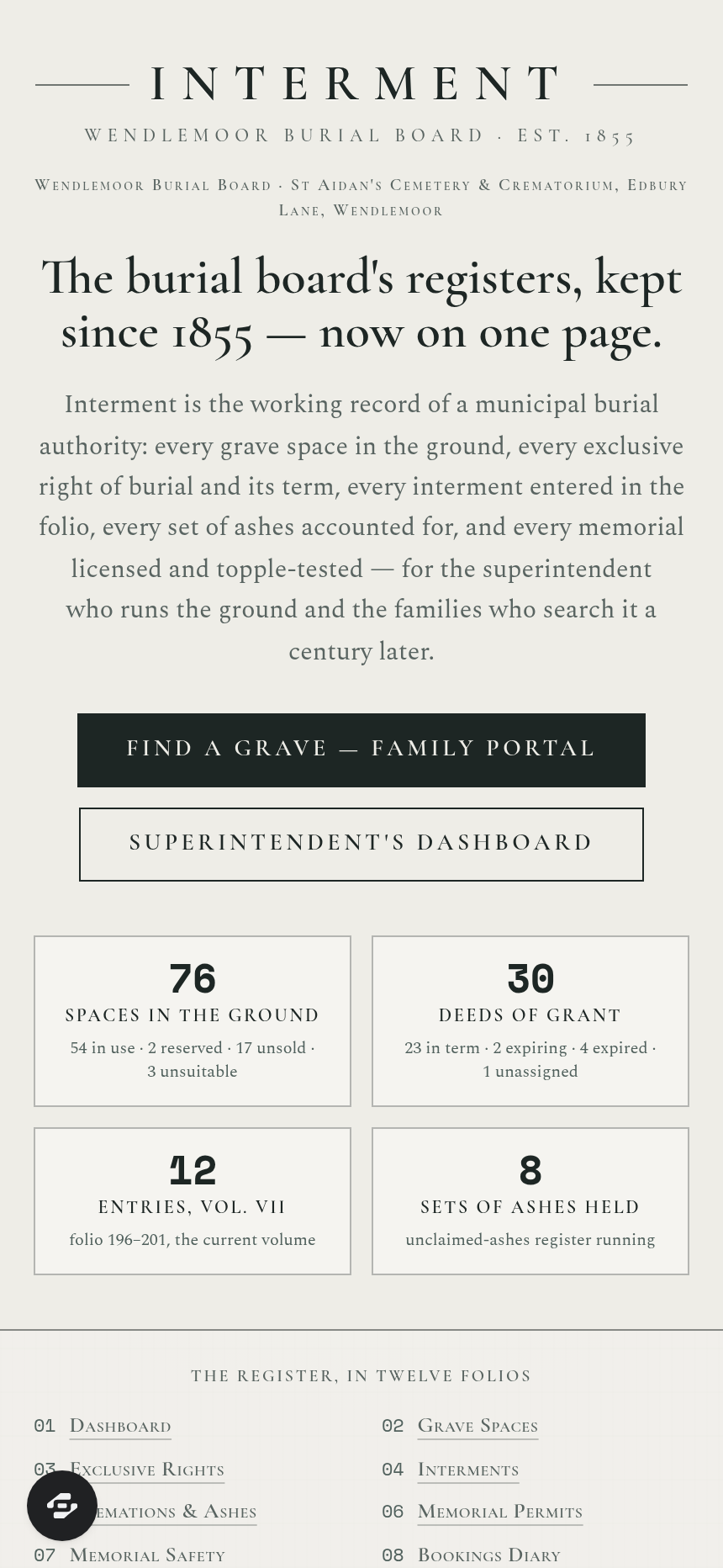
Interment is the complete register of a municipal burial board's cemetery and crematorium, recording every grave space, exclusive right of burial and its term, interment, set of ashes, and memorial.
About this template
Overview
Interment is the complete register of a municipal burial board's cemetery and crematorium, recording every grave space, exclusive right of burial and its term, interment, set of ashes, and memorial. It is the authority on which grave, in whose right, for what term, who lies in it, to what depth, under which memorial, and what remains unsold.
What you get
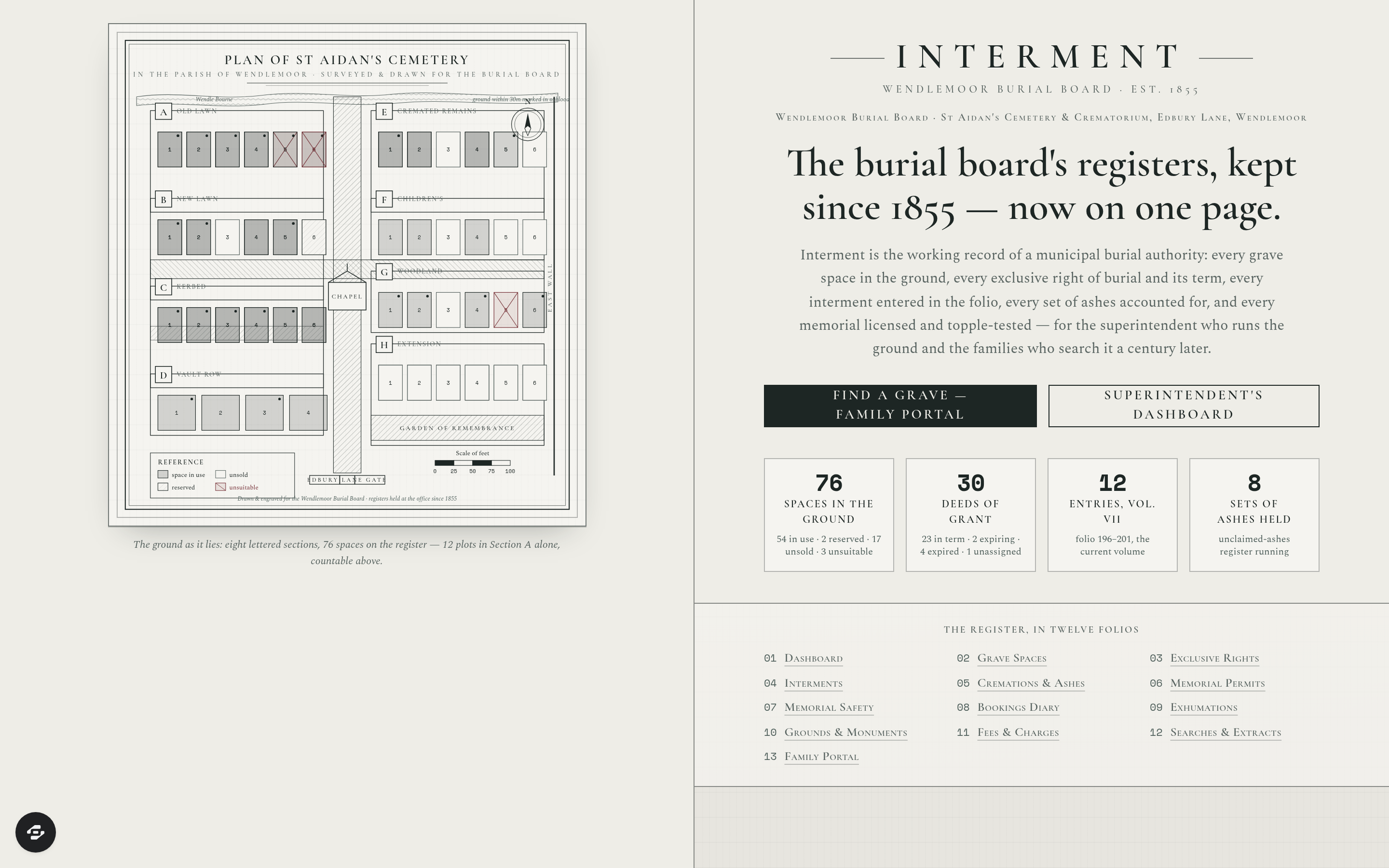
- Cemetery plan drawn as an Ordnance Survey sheet with eight lettered sections, numbered plots, chapel, garden of remembrance, paths, scale bar, and every space shaded for its state
- Grave Space Register carrying section, row and number, grave type, dug depth in interments, remaining depth available, ground conditions, and flags for FULL, RESERVED, UNSOLD, GROUND UNSUITABLE and WITHIN 30m OF A WATERCOURSE
- Exclusive rights of burial with deed number, grantee, grant date, term of fifty, seventy-five or ninety-nine years, computed expiry, assignment on death of grantee, extensions purchased, and flags for RIGHT EXPIRED, EXPIRING WITHIN 24 MONTHS, GRANTEE DECEASED — RIGHT UNASSIGNED and NO DEED TRACED
- Interment register with volume and page, entry number, name, age, last residence, date of death, date and hour of interment, grave reference, coffin depth and soil depth above it, officiating minister, funeral director, and disposal authority
- Cremations and ashes register with medical referee's authorisation, cremation number and cremator, and ashes accounted for as collected, scattered, interred in cremated-remains plot, or retained with unclaimed-ashes register
- Memorial permits with mason registration, memorial dimensions checked against section rules, inscription proposed and approved, foundation specification and fixing system, and refusals with reason recorded
- Memorial safety topple-testing programme with force applied in kilograms, result from PASS to LAID FLAT, notice served on grave owner, and six-year re-inspection cycle
- Bookings diary holding chapel services and graveside committals with preparation time for grave-digging team and conflicts
- Exhumations register with licence and conditions, officers present, destination, and re-interment entry
- Grounds and monuments register with mowing cycle, subsidence and sunken-grave reports, dangerous trees, war graves and listed monuments
- Scale of fees with resident and non-resident rates and remission for interment of a child
- Register of searches with periods covered, fee and certified extract issued
- Family portal to find a grave by name, see term remaining on a deed and extend it, apply for a memorial permit, and book a committal
The signature screen
The lithographed cemetery plan drawn as an Ordnance Survey sheet is the signature surface: eight lettered sections with their numbered plots, the chapel and the garden of remembrance, hatched paths, the north point, a scale bar in feet, and every space shaded for its state so the seventy-six spaces on the register are countable off the drawing before a single table is read.
Who it's for
Municipal burial boards, cemetery and crematorium authorities, and the families who search the registers to find a grave and manage memorial permits and burial rights.
Frequently asked questions
What is the Interment template?
Who is the Interment template for?
How long does it take to build an app with the Interment template?
Do I need to code to use the Interment template?
How much does the Interment template cost?
Can I customize the Interment template?
Review current pricing and the template inspection guide before you start.
Related templates
 Social
Bossbabe: Inner Circle
A community hub that nurtures itself — member feed, resource vault, calls calendar — editorial feminine-luxe.
 Social
Mixtape
A vibrant link-in-bio creator hub for musicians
 Social
Roster
Sign up. Suit up. Show up.
 Social
Milestone
Every hour logged. Every dollar counted.
Make this template your starting point.
Inspect the preview, plan your changes, and test the workflow before you share it.
Use this template